
Use this free RTI application generator to write a ready-to-file application under the Right to Information Act, 2005. Answer six short steps, then print it, save it as a PDF, copy the text or download it as a Word file.
Quick answer
In the RTI application generator, fill in the office you are writing to, your name and address, and the information you want. The generator writes a complete application addressed to the Public Information Officer, citing Section 6(1) of the RTI Act, with your fee details, delivery choice and a request to transfer it under Section 6(3) if it reaches the wrong office.
For Central Government offices the fee is ₹10 (nil for BPL applicants) and the reply is due within 30 days, or 48 hours if the information concerns someone’s life or liberty. Nothing you type leaves your browser.
Everything you type stays in your browser. CIVL does not see, send or store it. Highlighted text shows a detail you still need to fill in.
How to use the RTI application generator
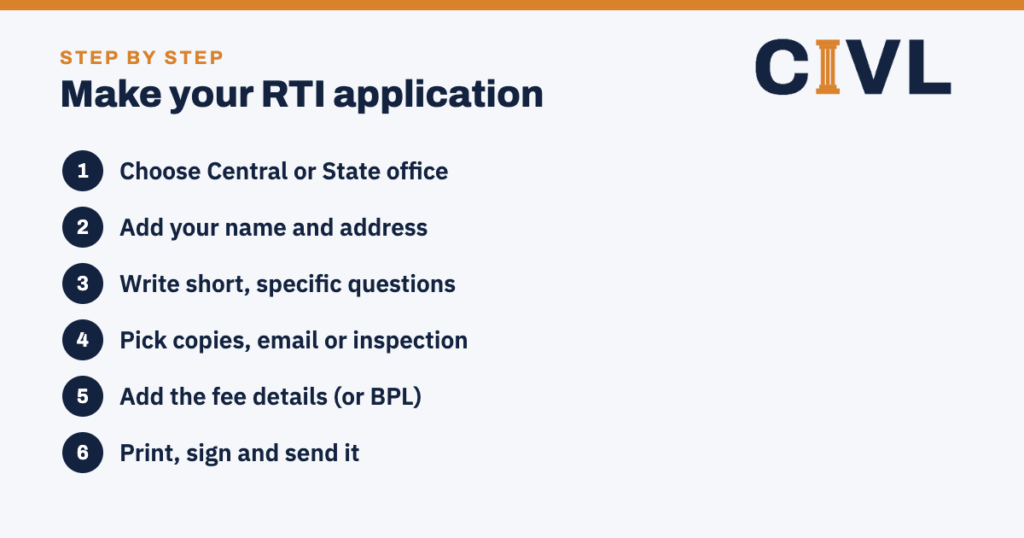
- Choose the office. Pick Central or State. The RTI application generator then addresses it to the Central Public Information Officer or the Public Information Officer, as the Act requires.
- Add your details. Your name and a full postal address are required. Phone and email are optional but help the office contact you.
- Write your questions. One point per box. Ask for records, copies, dates, file status or the names of officers who dealt with a file.
- Choose how you want the reply. Photocopies, certified copies, a soft copy by email, or inspection of the records.
- Add the fee. Enter your IPO, demand draft or receipt number, or tick BPL and attach your BPL certificate.
- Print, sign and send. Check the highlighted gaps, then print or download, sign by hand and send it.
What the RTI application generator includes
- The correct addressee: the Central Public Information Officer (or the PIO for State offices) and the office address.
- A subject line that cites Section 6(1) of the Right to Information Act, 2005.
- A statement that you are a citizen of India, since only citizens have the right under Section 3.
- Your questions, numbered, with an optional period (for example, from 1 April 2025 to date).
- How you want the information: copies, certified copies, email, or inspection under Section 2(j)(i).
- A 48-hour request under the proviso to Section 7(1) when life or liberty is involved.
- Fee details, or a BPL statement under Section 7(5), and a list of enclosures.
- A request to transfer the application under Section 6(3) if another public authority holds the information.
The RTI application generator does not ask why you want the information. Under Section 6(2) you do not have to give a reason, and adding one can only invite argument.
How to send the application
By post or by hand
Print the application from the RTI application generator, sign it and attach the fee. For Central offices, make the Indian Postal Order or demand draft payable to the Accounts Officer of that office. Send it by Speed Post with proof of delivery and keep the receipt and tracking printout, or hand it in and ask for a dated acknowledgement.
Online
For Central ministries and departments you can file on rtionline.gov.in instead. Copy the questions from the RTI application generator into the portal’s text box (it takes about 3,000 characters) and pay the ₹10 fee online. See our guide on how to file an RTI online. Many states run their own portals; otherwise use post.
Tips for questions that get clear answers
- Ask for things that exist in records: copies of letters, orders, file notings, registers, attendance sheets or inspection reports.
- Avoid “why” and “will you” questions. The PIO only has to give information held, not explanations or opinions. The RTI application generator flags these as you type.
- Give reference numbers, dates and names so the office can find the file quickly.
- Keep it short. Central rules ask for about 500 words, excluding enclosures. Split a long list into two applications.
- Send it to the office that actually holds the record, such as the district office rather than the ministry.
Fees and timelines
| Item | Central Government offices |
|---|---|
| Application fee | ₹10 (State fees vary) |
| BPL applicants | No fee, with a copy of the BPL certificate |
| Photocopies | ₹2 per A4 page |
| Reply due | 30 days from receipt |
| Life or liberty | 48 hours |
| Filed through an Assistant PIO | 5 more days |
| Wrong office | Must be transferred within 5 days (Section 6(3)) |
| No reply or poor reply | First appeal within 30 days |
State Governments set their own fees and payment modes, so check your state’s RTI rules before you pay. The RTI application generator lets you change the fee amount and payment mode to match.
If you get no reply
No reply within 30 days counts as a refusal. Keep the copy you made with the RTI application generator, because the appeal needs the date and details of your application. File a first appeal with the First Appellate Authority, an officer senior to the PIO, within 30 days. Read how to file an RTI first appeal or use our RTI first appeal format.
Common mistakes to avoid
- Sending the fee in the wrong name, or forgetting it.
- Leaving out your postal address, so the reply cannot reach you.
- Asking a dozen unrelated questions to one office.
- Sending a State matter to rtionline.gov.in, which covers Central offices only.
- Not keeping proof of sending, which you will need for an appeal.
Frequently asked questions
Is the RTI application generator free?
Yes. The RTI application generator is free to use as often as you like. You only pay the fee that the public authority charges.
Do I need to give a reason for asking?
No. Section 6(2) of the RTI Act says an applicant does not have to give any reason. The only time you explain anything is when you ask for a 48-hour reply because life or liberty is involved.
Can I use the RTI application generator for a State office?
Yes. Choose “State Government”. The application is then addressed to the Public Information Officer. Check your state’s fee and payment rules.
Can I file it online?
For Central offices, yes: copy your questions into rtionline.gov.in and pay online. For State offices, use the state portal if there is one, or send it by post.
Is there a word limit?
Central rules ask for about 500 words, not counting enclosures, but an application cannot be rejected only for being longer. The generator shows a running word count.
What if I send it to the wrong office?
The PIO must transfer it to the right public authority within 5 days under Section 6(3) and tell you. Your application already asks for this.
Is what I type saved anywhere?
No. The RTI application generator works entirely in your browser. CIVL does not receive, send or store anything you type.
Where can I get a ready-to-use RTI application format?
Use CIVL’s RTI application format, with notes on fees, filing and what to write.
CIVL format
Prefer a format you can edit?
Get CIVL’s RTI application format and the RTI first appeal format, and read how to file an RTI online. Need other tools? See all free legal tools. Still stuck? Ask CIVL.